
Your AIs can find their way around your whole setup without you explaining it to them every single session.
Not always. Even a setup built this way drifts: one check in a single week caught 3 docs that were out of date, and they got fixed the same day.
But most days it works. And there's no fancy tool behind it. Everything just has a home, and there are rules for what gets in.
This is how to set it up, by what each part is for rather than by anyone's exact folder names. And you don't have to build any of it by hand. Your agent can do all of it, you just have to tell it what you want.
Start With 7 Zones
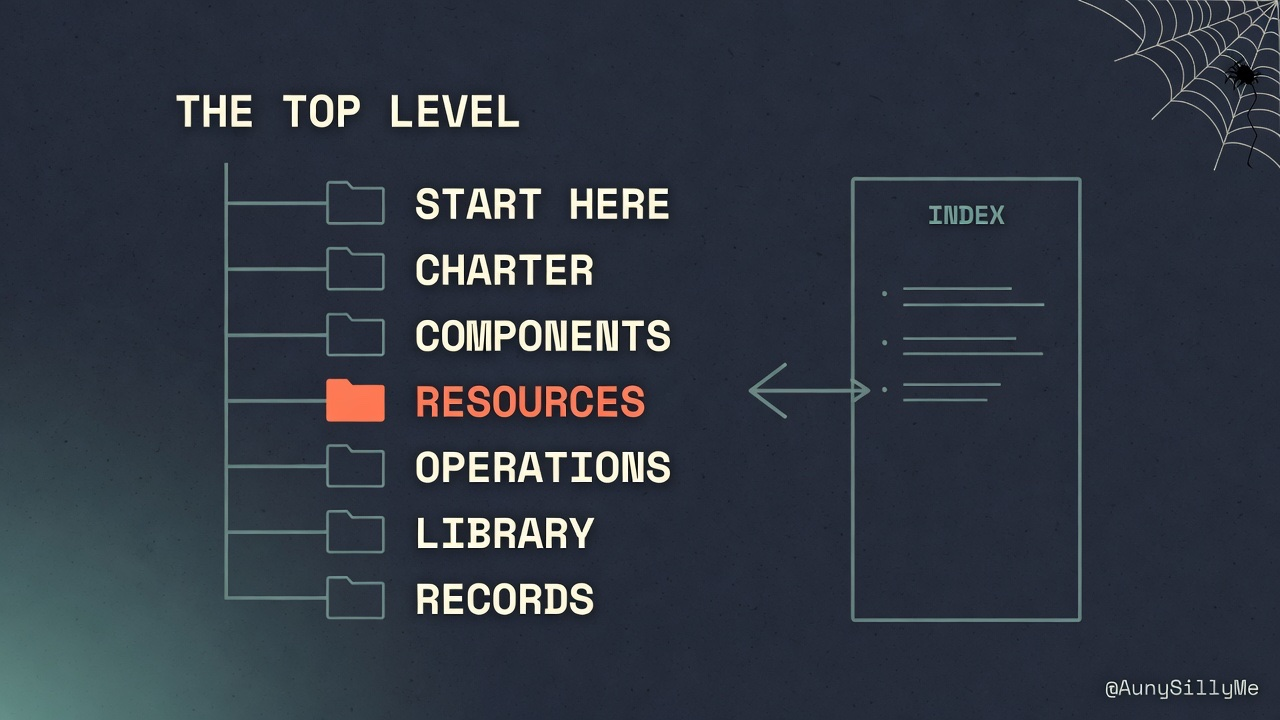
Have your agent sort your top level into zones. Each one gets ONE job:
- start here: a map of everything + the rules you work by
- charter: what your system does, who it's for, and what it should never ever do
- components: your agents, data, services, interfaces
- resources: models, providers, compute, datasets, budgets
- operations: anything that runs on a schedule, and how you fix it when it breaks
- library: research, docs, and the source code of the tools you use (so your AI reads the real thing instead of guessing)
- records: decisions you made, what changed, what broke, plans you're working on
Here's what that looks like as folders:
workspace/
├── _index                  # the main map
├── start-here/
│   ├── _index
│   ├── working-rules
│   └── status              # what's open, what's stale
├── charter/
│   ├── _index
│   ├── purpose-and-users
│   ├── boundaries          # what it must never do
│   └── data-classes        # public / internal / private
├── components/
│   ├── _index
│   ├── agents/             # one doc per agent
│   ├── data/               # one doc per table
│   ├── services/
│   └── interfaces/
├── resources/
│   ├── _index
│   ├── models/             # one note per model
│   ├── providers/
│   ├── compute/
│   ├── datasets/
│   └── budgets/
├── operations/
│   ├── _index
│   ├── jobs/               # one end-to-end doc per job
│   ├── runbooks/
│   └── guards/
├── library/
│   ├── _index
│   ├── research/
│   └── vendor-docs/
└── records/
    ├── _index
    ├── decisions/          # dated, with the reason
    ├── change-log/         # one note per week
    ├── incidents/
    └── plans/              # deleted once the work ships
Tell it: if a new folder doesn't fit any of these, come to me and we fix the zones. Don't force the folder in.
Then have your agent write the charter first, and make every agent read it before they start anything. If your AI doesn't know what it's never supposed to do... it'll find out the hard way (and so will you).
Every Folder Gets an Index
A vault with 39 folders at the top level is a lot. So how does an agent not get lost?
Every folder has an index. Why does that matter? The index provides the map. So anyone or any agent reading your system knows where to find what, without opening every single file to figure it out.
Have your agent set it up like this:
- one main map that only points to each folder's index
- each index only points to what's inside that folder and talks about what it's for
Be strict about indexing: every time you add, change or delete a file, update that folder's index too.
An outdated index is worse than having none at all. You trust it, your AI trusts it, and you both end up in the wrong place, reading the wrong file.
Then have your agent put the same 4 labels at the top of every note: type, status, domain and when it was last updated.
Your Database Needs Its Own Rules
If your system has a database, it has a code side too. Give the repo the same treatment, one home per job:
your-system/
├── README
├── agents/
│   └── agent-name/
│       ├── prompt          # versioned
│       ├── tools           # what it may call
│       └── config          # model tier, limits
├── routing/                # which task goes to which model
├── memory/
├── ingestion/              # load, chunk, embed
├── db/
│   ├── migrations/         # numbered, one change each
│   ├── policies/           # who can read what
│   └── schema-snapshot     # generated, never edited
├── jobs/                   # each one has a doc in operations/
├── guards/
├── evals/
├── tests/                  # including the ones that should say no
└── .env.example            # names only, never real keys
Then give your agent these before it touches anything:
- Pick ONE source of truth. Have your agent rebuild everything else (embeddings, search indexes, caches) from it automatically. Nobody edits those by hand.
- Look before you touch. Before it changes a table, have your agent make sure it knows (have it deep research): how it's set up, how many rows, which account your app connects with, and everywhere in your code that uses it.
- One change at a time. Have your agent make small, numbered changes and run a security check and a performance check after every single one. If either one throws an error, that change doesn't go through.
- Don't let it blindly apply suggested fixes. Database warnings come with a "here's how to fix it" and it's not always right. Turn on row level security by itself and suddenly nobody can read anything. Add an "allow everyone" rule and the warning goes away... but everyone still has the exact same access as before. Have your agent read what the fix does first.
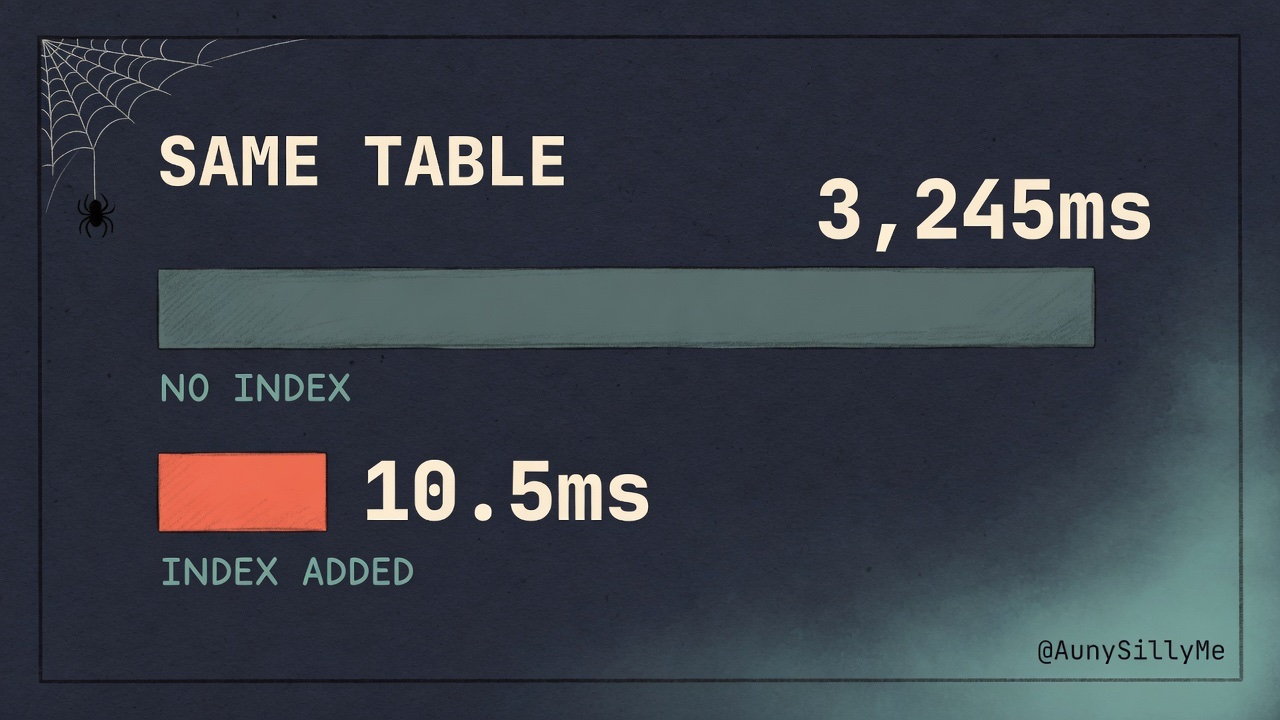
- Measure the real problem. Have your agent check the thing you're worried about, not something next to it. A search table can be 100% embedded, look healthy, and still scan the whole table on every single search. Once the index was added on one, 3,245ms went down to 10.5ms.
Keep a List of Everything You Use
Have your agent give every model, provider, GPU and dataset its own note: what it costs, its capabilities, limitations, and whether you're using it or not. That's your "Stack".
Then tell it:
- new stuff starts as "pending". you can suggest a tool, but it doesn't go on the list until I say yes
- send every task to the cheapest model that can handle it. sorting a bunch of stuff? cheap model on low effort. hard design decisions? go frontier
Example: a search through the grok CLI on an X Premium+ plan = $0 extra. The same search through the xAI API = paid.
model-orchestrator does this automatically. It sets up routing rules for the AIs you already pay for, so you save on tokens, and $$. It's free and open source on GitHub:
github.com/aunysillyme/model-orchestrator
Or run this in your terminal:
npx model-orchestrator
Anything That Runs on Its Own Gets a Doc
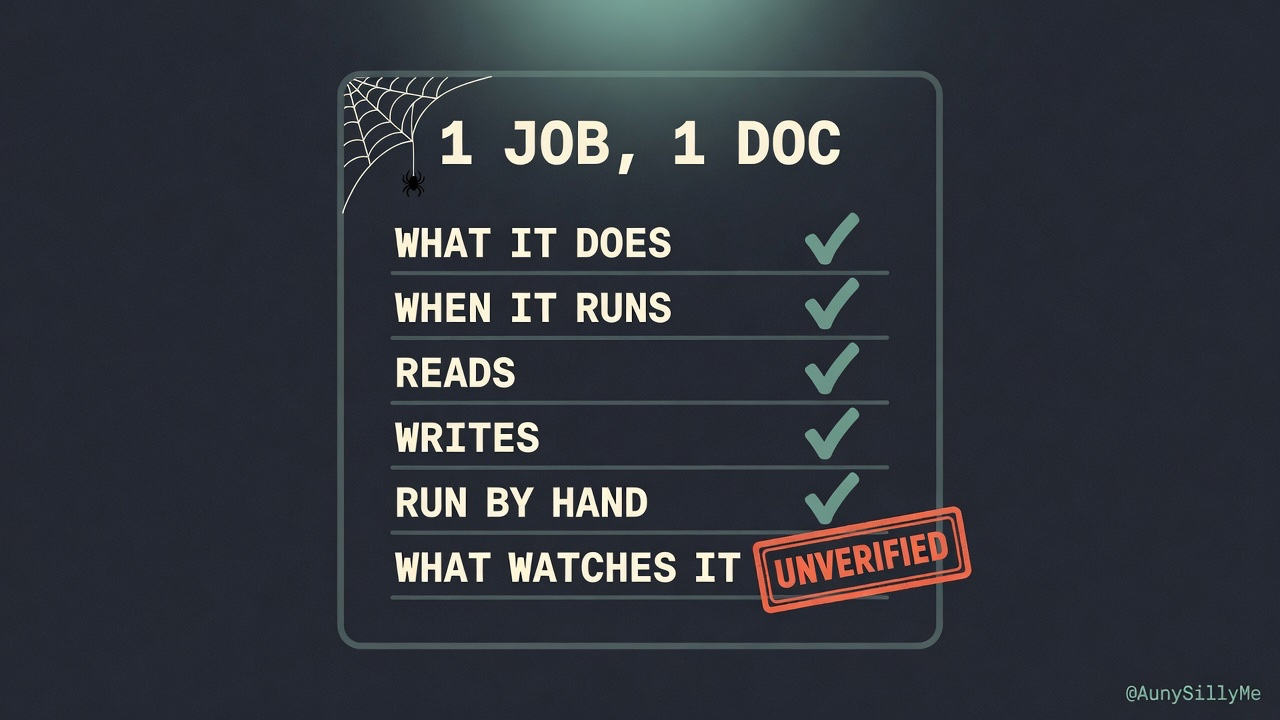
A setup with 16 scheduled jobs has 16 docs. Have your agent write one end-to-end doc for every job or automation you run.
2 more rules to give your agent:
- don't tell me "done" without proper evidence
- if something breaks once, fix the instructions. if it breaks 3x, build a guard that stops it from happening again
My Stack
- Obsidian, Dataview, obsidian-tc: notes, auto-built tables, and fast agent access to the vault
- Supabase + pgvector: the database and vector search
- Cloudflare Workers + GitHub: the API layer and version control
- Crawl4AI, Firecrawl, Repomix: pulling data in
- Claude Code + Codex: Claude builds, Codex checks its work
- Grok: X + web search through the grok CLI ($0 extra on X Premium+), and Grok Imagine for visuals
- Gemini + Antigravity: deep research and large-context analysis
- ChatGPT: second opinions, fast drafts, and GPT Image 2.0 for infographics
- Qwen Code: the cheapest lane for bulk structured work
- Hermes Agent: the free lane for vault ops
- Ollama, Oracle Cloud free tier, Kaggle, Modal, Lightning AI: compute
- Linear, Infisical, Gitleaks, Tailscale, Healthchecks.io: tasks, secrets, leak checks, a private network, and alerts when a job goes quiet
Do This Tonight
Open your agent, tell it to read this post and paste this in:
set up my workspace using the structure in this article, in whatever i already use (folders on my computer, a notes app, Notion, Google Drive, a code repo, anything). sort the top level into 7 zones: start here, charter, components, resources, operations, library, records. give every folder or section an index page that lists what's inside it. from now on, update that index every time you add, change or delete anything. if something doesn't fit a zone, ask me before you make a new one.
That's it. Everything else can wait until something breaks twice.
1:1 call · matches this post
AI Workflows for Creators
want your own setup mapped into zones, indexes and routing, with every job documented? That's the AI Workflows for Creators call.