Your agent is good at the work and bad at you.
It does not know your tone, your folders, what it may touch, what it has to ask about first. So you explain yourself again. Every session, in every app, and again in the next one you try.
The other half of the same problem: you pay for a model that plans well and hand it a rename job. You pay for a model that writes code and ask it what is trending today.
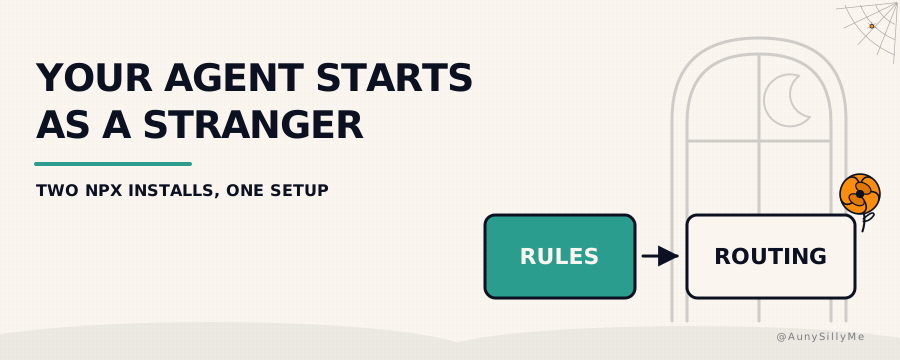
Two npm packages close one gap each. They are installs, not write-ups. Ask your agent to run one and it walks you through an interview based on the models and tools you actually have, then writes the setup for you.
the two halves
- agent-personalizer is the rules half: your custom protocol files, so your agent knows how you want things done and how to behave with you
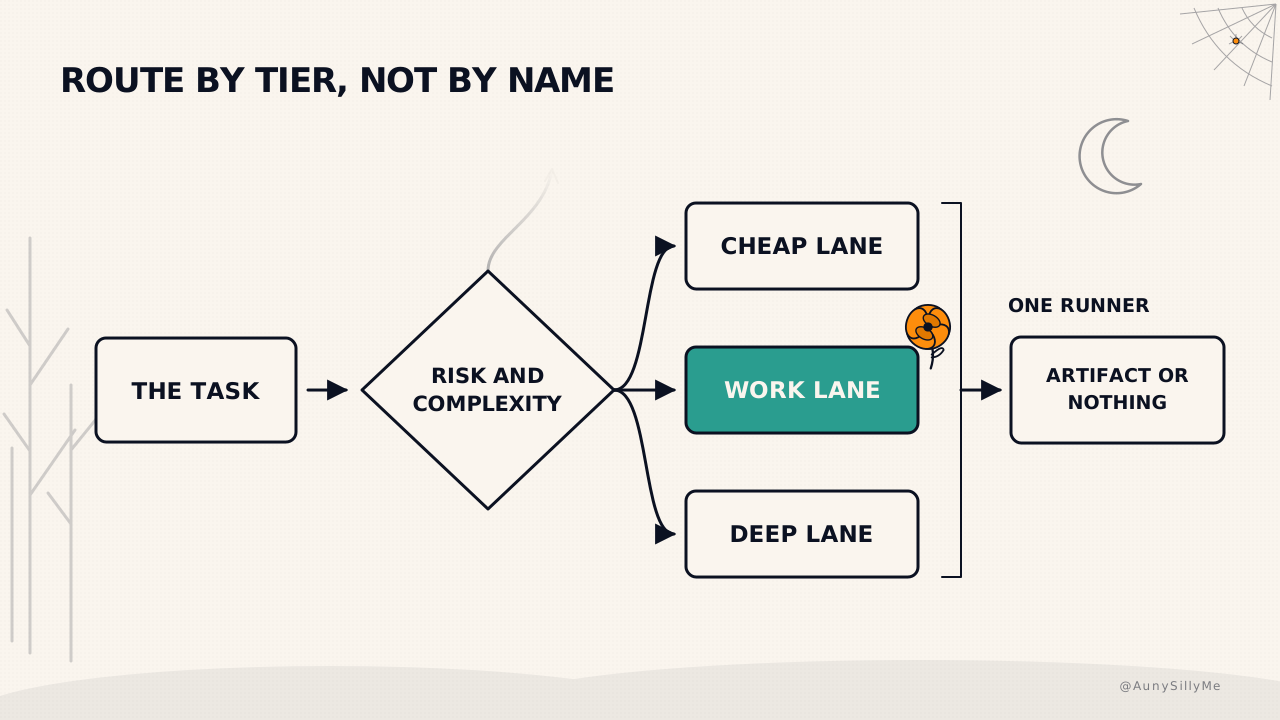
- model-orchestrator is the routing half: instructions that pick the tier and the effort level for the task in front of it, plus a runner that executes the lane it is handed
Both are one command. Both ask a few questions and write a folder. Neither writes a secret.
npx agent-personalizer
npx model-orchestrator
Start with whichever gap you feel first. Most people feel the rules one, because it is the one costing you a paragraph of re-explaining at the top of every chat.
agent-personalizer: your rules in every app at once
Most people set custom instructions once, in one app, and still get generic output. Four things break it, and they break it quietly.
- the instructions decay over a long chat, so the rules that held at message 3 are gone by message 60
- the AI does not know where anything is, so it invents a location or asks you
- every app keeps its own copy, and five copies drift into five different rulesets
- the AI treats its own guesses about you as your rulings, which is the expensive one
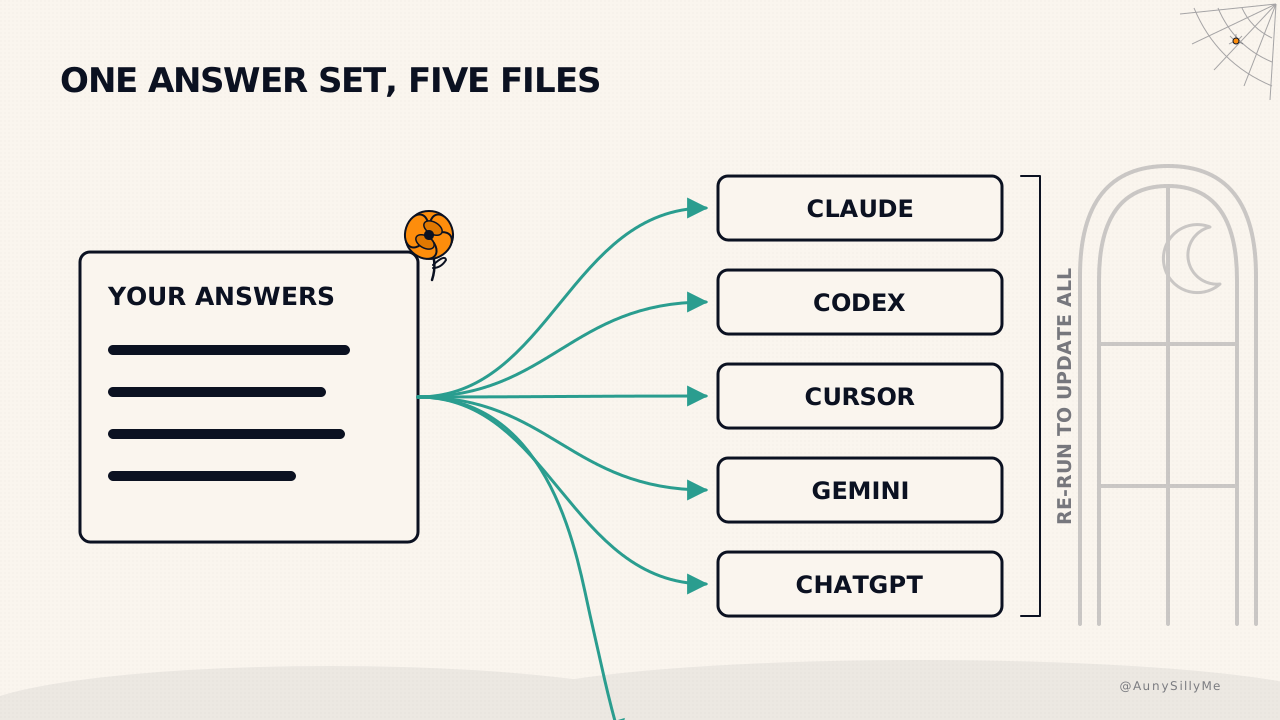
The installer asks who you are, how you want to be talked to, how output should be shaped, where it may write, and what it must always ask before doing. Then it renders those answers for Claude, Codex, Cursor, Gemini and ChatGPT from one source. Change an answer, re-run, and every app changes at once.
The interview is short on purpose: seven questions by default, the ones that actually change behaviour. Run it with --full when you want all 23.
the three levels, and where to stop
The only thing the installer makes you pick is a level. Stop at the one that matches what you have.
- level 1, one AI in one app: a profile of you, an onboarding manual written from your answers, and one home file the AI reads first. Four files, no folders, and the home file names nothing that is not there
- level 2, a notes folder the AI may edit: everything above plus the folder itself, with a folder index, a weekly session log, a decisions log and an inbox, each carrying the rules the AI follows when it writes there
- level 3, a coding agent: everything above plus the machinery. Your own copy of the rules to edit, one rule source rendered per AI, a session-start contract that puts your rules in context at the moment of decision, a drift check that fails loudly, and a gate that scans for strings you never want shipped
Level 2 is where the notes folder earns its keep, and it is the same shape as the vault in blog 20: start small, let the rules grow it.
Level 3 is the one worth understanding before you install it, because the session-start contract is the piece that beats the tool's own instructions at the moment your agent decides something. A rule in a file loses to a rule injected at the top of the session. That is the whole reason the tier exists.
[a rule nothing points at does nothing, and a rule that arrives after the decision is a rule you wrote for nobody]
model-orchestrator: the routing half
Routing instructions and a CLI runner for your AI tools.
The installer asks three things: which level you want, which AIs you have access to, and which one is your primary agent. It marks the ones already on your machine so you are not guessing. Then it generates a setup that matches, from one chat app all the way up to a virtual machine.
Be exact about what it is: your primary agent follows the instructions to choose a tier or a lane, and the runner executes the lane it is given. It does not shop for prices or pick models on its own. Routing by hand is blog 18; this is that decision written down where every agent you run can read it.
the levels here map to what you own
- level 1, one LLM or one agent: tiers, task classification, the two build checkpoints, the protocols, a task-bundle template, and your agent set up to follow them
- level 2, several AIs with CLIs: adds
cli-run, a delegation matrix generated from your own selection, and research triage across the lanes you actually have - level 3, a virtual machine: adds a gateway config rendered from the keys you hold, pinned images, box rules, privacy gates, and a weekly gap-analysis job
One flag decides more than people expect. Docs go to --dir, which defaults to ./ai-orchestrator. Subagent definitions go to --project, which defaults to whatever folder you ran the command in, because that is the only place Claude Code and Antigravity look for them. Run it from your home folder and five agent files land in your home folder. Set both.
npx model-orchestrator --yes --level 2 --ais claude-code,codex,grok \
  --primary claude-code --dir ./ai-orchestrator --project ./my-app
After it writes, run the canary. It sends every enabled lane one tiny prompt through your own sign-ins and reports which ones came back.
node bin/cli-run.mjs --doctor --run
Do it again after any vendor upgrade. These CLIs change flags on their own schedules, and a lane that worked last month can start failing silently.
the runner is the part that stops lying to you
Every agent CLI can exit 0 having produced nothing. That single fact is why a run looks fine and the folder is empty.
cli-run treats exit 0 as a claim, not a result. It means a structurally accepted, non-empty response came back. When you want more than that, ask for it.
--expect-filefails the run unless the artifact you named actually exists--expect-jsonfails it unless the response parses--modeland--effortpin the route, so a CLI you configured months ago at low reasoning effort stops quietly auditing at that effort- every run logs the model and effort that were requested and where the request came from, including the runs that never reached a lane
A lane with nothing pinned runs on its own config file, which the runner cannot see. Pin it, or know that you did not.
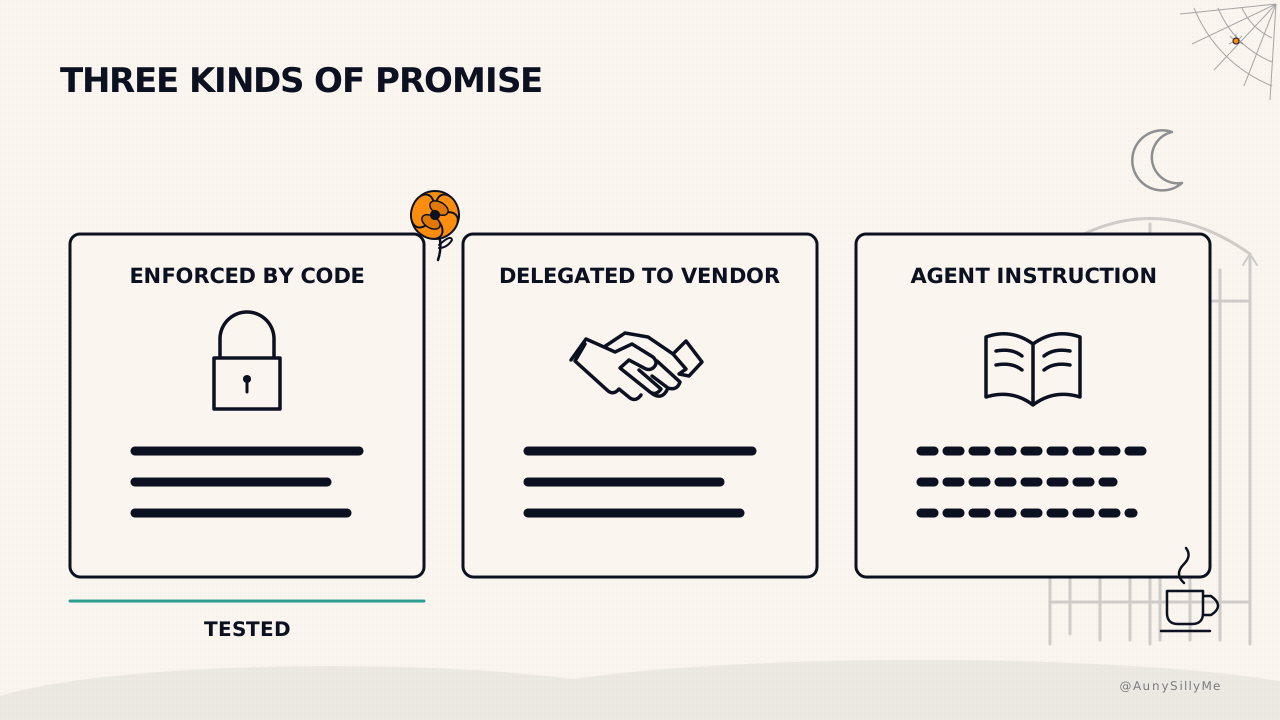
what is enforced, and what is only an instruction
This is the part to read before you trust either one unattended, and it is written into both repos rather than left for you to discover.
- enforced by code: where the installer may write, that it never writes a secret, that it never overwrites your document without a flag, the runner's exit codes and its timeout behaviour
- delegated to the vendor: the audit lane's read-only sandbox, every lane's permissions, sign-in state and model versions. The installer detects that a binary exists, not that it works
- agent instructions: lane selection, the tiers, the privacy classes, the escalation rules, the protocols. Nothing here stops an agent that ignores its own rules
That third line is the honest one. Text in a file is the strongest placement available, and it is still text. What these two packages do is make ignoring the rules visible, not impossible.
If you need a rule to be truly enforced, that is a policy engine or a sandbox, and neither of these claims to be one.
have your AI file the issues
Both repos take issues, and the useful ones are not feature requests. Open one with the failure you hit: what you ran, what you expected, what happened instead.
Your AI is already holding all of that. It ran the command, it read the error, it knows which flag it passed. Ask it to write the issue and it will hand you a better report than you would have typed from memory an hour later.
Rules come from failures. Every rule in the personalizer ships with the failure that produced it written underneath, because a rule with a story gets followed and a rule without one gets argued with.
the one thing to do today
Pick the half you feel most and run it. If you cannot tell, run the rules one.
npx agent-personalizer
Answer the seven questions honestly rather than aspirationally, especially the one about what it must always ask you before doing. That single answer becomes the line between an agent that helps and an agent you have to watch.
Then open your next session and say nothing about yourself. See how far it gets on its own.
The practices both of these package up, in order and by hand, are in blog 21 ✌🏽
1:1 call · matches this post
AI Workflows for Creators
want this fitted to your actual work rather than the defaults, the rules written from how you already operate, the routing matched to the plans you already pay for, and the whole thing wired so nothing runs that nobody reads? That is the AI Workflows for Creators call.